


My Experience Replacing Windows with Fedora Linux on my Gaming PC
Although I’ve been using GNU/Linux for almost 15 years at this point, starting with Ubuntu 11.10 back in 2011 and later Fedora, I’ve still used Windows for the majority of my gaming. This started back in early 2017 when I got back into playing World of Warcraft. This was back in a time before Proton existed and gaming using Wine was a much more difficult experience as far as both game compatibility and performance went, so using Windows 10 for that made a lot more sense.
This worked well as I had only used my primary desktop for gaming while my laptop was where I did most of my (personal) software development, which I frankly didn’t do often outside of my day job. It didn’t take me very long to get used to this even though I had been accustomed to GNOME for a while at this point. This worked because my workflow on the desktop consisted of opening a fullscreen program and maybe a web browser or chat client on my second monitor, so not exactly complicated.
Giving Linux Another Try (Attempt 1)
For a time this worked, but eventually sometime in 2021 I developed an itch to use Linux again on my main PC. I was wanting to get back into side projects and programming from a desktop is a lot nicer than doing so hunched over a laptop. Proton was well established at this point as well and my favorite games worked well with it according to other people.
That experiment only lasted for a year and a half.
What went wrong then? Honestly, some of it was my fault. I decided to go with Ubuntu 21.04 using a custom filesystem setup with BTRFS, which eventually led to major performance issues later. I also encountered issues with Wi-Fi stability and handling of multiple monitors with differing DPI scales and refresh rates. Although switching to Wayland fixed my screen tearing issues, it didn’t fix the fractional scaling issues I encountered, and introduced its own issues such as a lack of global hotkeys that I needed for push to talk.
I held out for the next couple of Ubuntu releases to see if these problems would get fixed and they didn’t, so I reluctantly moved back to Windows 10.
My Experience Using Windows Again
Although switching back to Windows 10 again solved my problems, I still wanted to do software development on my desktop in my preferred environment. WSL enabled this, but it did feel like a bit of a kludge. Also getting Windows itself to work the way I needed it to using programs like AutoHotkey, although effective, still felt off. It did work well enough that I didn’t feel the need to switch, however that all changed later with Windows 11.
System Stability Issues
With the Windows 10 EOL date fast approaching I decided to bite the bullet and upgrade to Windows 11 sometime in 2024. Initially it worked fine enough, but my problems came later on with future releases. I’m not exactly sure which updates caused this, but I started experiencing GPU crashes somewhat regularly. Downgrading the drivers temporarily helped, but these problems would eventually come back. I had also started to have issues with sound devices not being recognized, and Windows taking a very long time to acknowledge devices have been connected.
It probably didn’t help that I was using an 8 year old Windows installation at this point that had migrated between machines. However, I really didn’t feel like reinstalling Windows and having to reconfigure my bespoke setup that I barely tolerated just for a chance that it might fix my problems. Because of this I suffered through it. The issues that I was encountering didn’t happen often enough that it prevented me from using my computer. It was good enough.
It slowly got worse and worse. Crashes started becoming more common and the system felt a bit more sluggish than it should have been for the hardware that I had. The final nail in the coffin was a lot of the features being added to Windows in more recent updates were things that I didn’t care about. I’m looking at you, Copilot.
Copilot
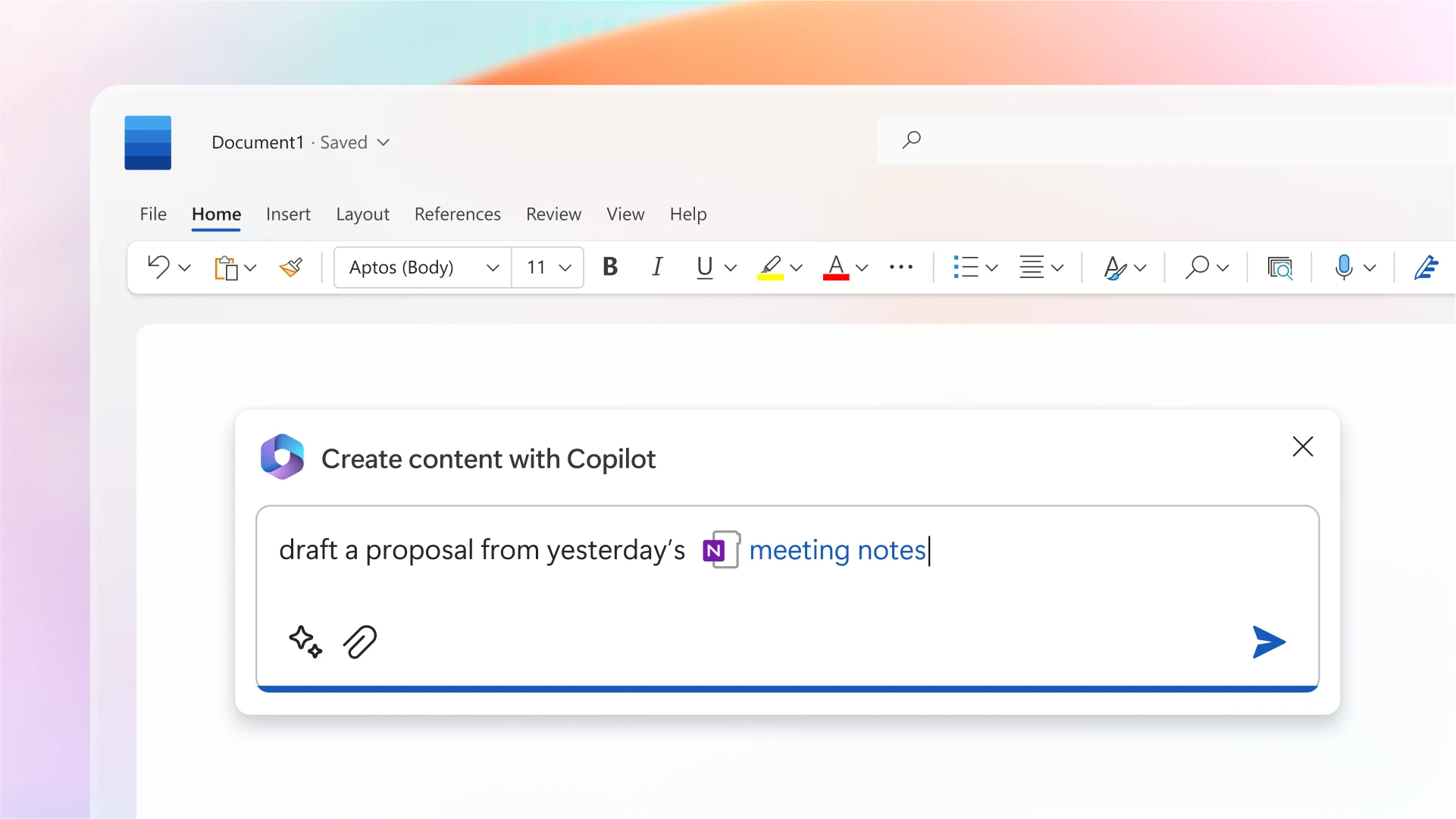
© Microsoft, 2023. Introducing Microsoft 365 Copilot – Your Copilot for Work.
It’s worth noting that I have a nuanced view of AI, specifically LLMs. I utilize the technology in my day job, but I do so in a very deliberate way. It works really well for searching large codebases, doing tedious tasks, and generating snippets or one-off scripts to state a few examples. However, I am staunchly opposed to using AI for tasks such as generating “art”, and really any kind of attempt to replace human creativity. I also generally avoid using remotely hosted models for anything outside of work since I have recently been having concerns about how my data is used by third parties.
Of course I can just ignore those features if I don’t want to use them, but I’d rather not have them at all. I started making registry tweaks and group policy edits to keep that stuff out of sight. And It did work, however, I have no interest in playing cat and mouse with Microsoft every time they decided to add a new “feature” to Windows. I felt like I no longer had control over my computer, and something had to change.
Giving Linux yet Another Try (Attempt 2)
The year is now 2025 and I heard that all of my major issues with Linux had been fixed, at least by some desktops, so having been fed up with Windows I decided to give it another try. I created a backup of Windows using Clonezilla and I installed Fedora with KDE Plasma on a new NVMe drive I had bought. Although I do still like GNOME, I heard there are still problems with global hotkeys that the developers are unlikely to fix, which is a shame.
Now that one month has passed I can confidently say that all of my problems have been fixed. Not only have my problems with Linux been fixed, but most of the problems I had from Windows are not a problem anymore. I’ve not been getting anymore GPU crashes and all of those other small cuts no longer exist. I did encounter a couple of minor bumps along the way, but I was able to work through them and end up with a system that I actually enjoy using.
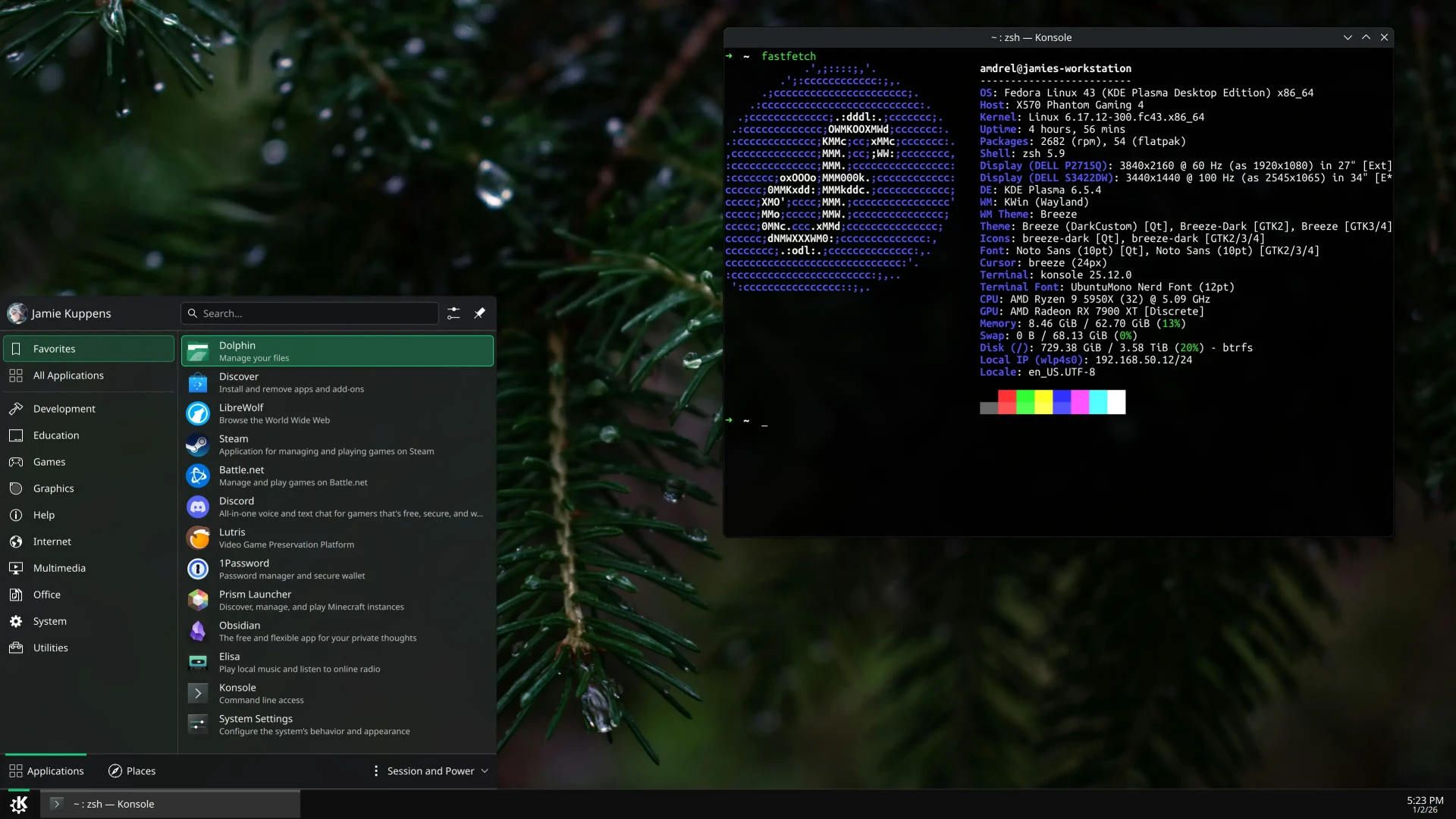
Of course I had to customize it. I didn’t do anything too crazy, though.
What went good
Things worked pretty well out of the box. KDE Plasma is a very configurable desktop and it was easy to get it working in a way that I liked almost entirely through the GUI alone. Most of my hardware worked without any issues and I got my favorite games installed and running with zero problems. I also had my global hotkeys back since Plasma allows you to configure X11 applications to listen to your keystrokes, unlike GNOME.
I am also using BTRFS again as it is the default with Fedora, but I’m a bit more confident using it this go around since I remember exactly what went wrong the previous time. I now know that snapshotting data that changes very often and neglecting to run routine database maintenance operations with a full disk is a bad idea…
What can still be improved
I did encounter a few issues, however most of these were pretty easy for me to solve. It’s worth noting that none of these issues were showstopping.
A Minor Wi-Fi Hiccup
The first issue was the Wi-Fi again. It wasn’t connecting to the internet. Uh oh, driver issue? Thankfully this was actually a simple fix and not due to the same problem as before. It turns out my Wi-Fi card just needed a power cycle for some reason. Flipping off the power supply and mashing the power button to drain the motherboard of any residual power fixed the problem. Many thanks to the kind redditor that experienced the same problem as me.
My Password Manager
The second issue is one that I did anticipate as I have dealt with it before, and that’s integrating my password manager (1Password) with the browser. I use LibreWolf and I knew to ensure that my browsers and any native tools integrating with them were installed without Flatpak. There is still an issue where limitations imposed by the security model of Flatpaks prevent browsers from communicating with programs outside of the Flatpak. There are workarounds for this, but I didn’t feel like bothering with them since I didn’t have the patience to debug something complex like that when just installing rpm packages instead fixes the problem.
Color Calibration
The third issue was a bit more painful to solve, but I did get through it. My primary monitor without color calibration looks horrible. In Windows I had calibrated this monitor to look fine, however the ICC profiles I used in Windows didn’t work in Plasma. I assumed this was due to some Windows-only nonsense as I had encountered the same issue with my MacBook when using this display with it. Thankfully Linux works with color calibration equipment and I was able to do that, well, kind of.
I decided to use DisplayCAL. I tried the Flatpak version first but it was having trouble reading my USB devices. I decided to install the version packaged by Fedora to see if that would solve the problem. However, when I tried to launch DisplayCAL it wouldn’t do anything. Strange. It turns out the Python version used by Fedora wasn’t supported by that version of DisplayCAL (which I should consider reporting). I was able to fix this by removing the version check. Pretty easy, at least for a developer.
Now it can run, wonderful! However, it failed when I tried to initiate the calibration process as it couldn’t read some information about the display due to me using the Wayland session. Fair enough, I’ll just install the Plasma X11 session and run it there. That didn’t work. I’m still not sure why Plasma X11 didn’t work since I know it’s still supported, but that’s fine, I can just run it in a window manager like i3.
Running DisplayCAL as root under i3 did fix that problem and my device was detected, but now
I had a new issue. It turns out just as the very, very long calibration was finalizing that there
was a Python ValueError being thrown. I chalked this up as being due to me removing the version
check, however it turns out that supported versions in that check also would have triggered that
same bug.
The issue was caused by a breaking change in one of the Python standard library calls being made
when performing a file format conversion. Specifically parameters were being passed to JSONEncoder
that were no longer supported. I was able to patch DisplayCAL’s JSON serialization call to fix
the problem, however, it is a bit silly to have to patch some code yourself just to get a
prepackaged program working. Thankfully I didn’t have to rerun the long calibration process as the
file being fed through the conversion still existed on my disk. If I can still reproduce the issue
I’ll consider filing a bug report if one doesn’t already exist. This issue was definitely the most
annoying one that I encountered though.
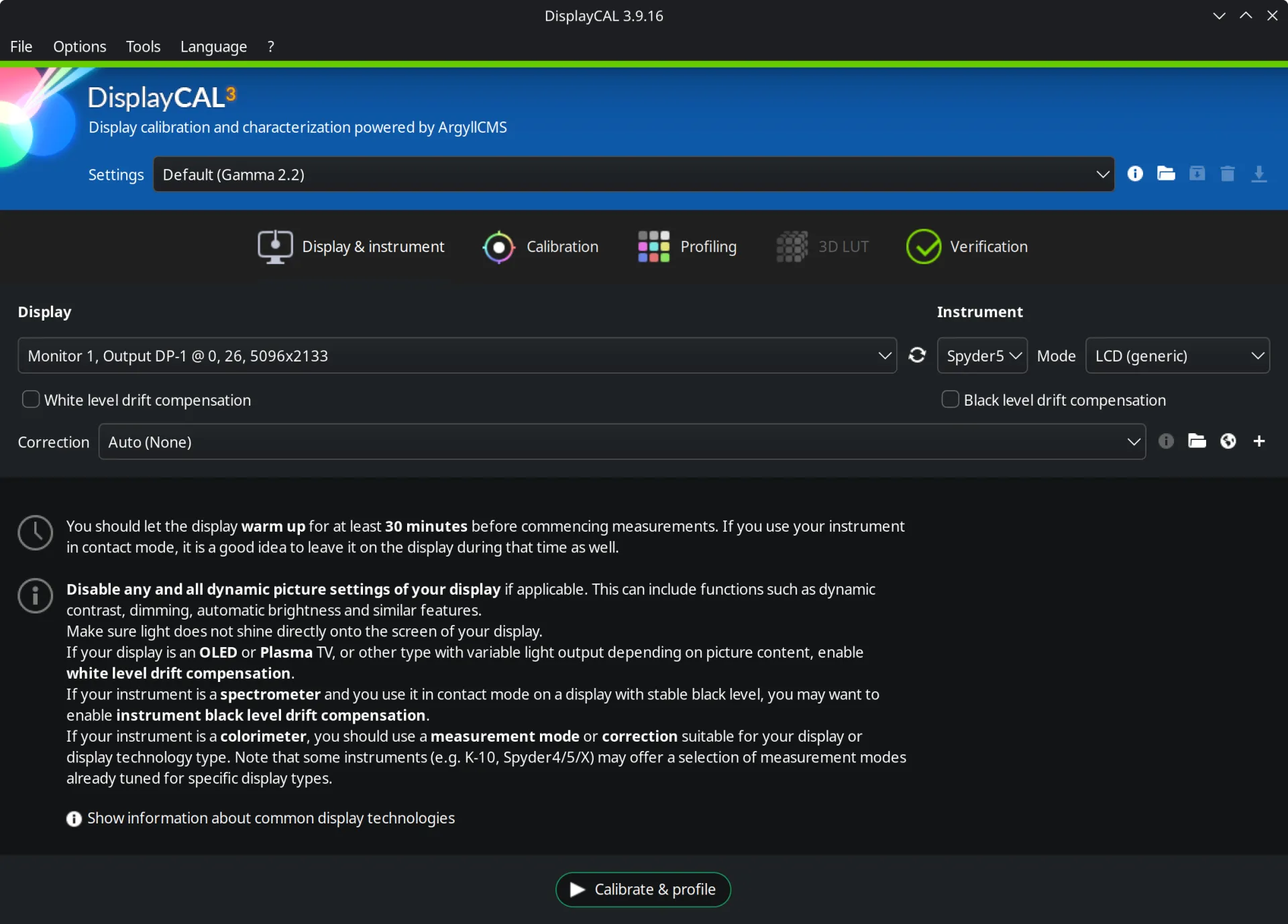
This is a really nice piece of software once you get it working!
My Final Verdict
I’m still only a month into using this system, knock on wood, but things are going well. My computer feels brand new, and I feel like I finally have control of my computer again. Everything’s working so well that I forget that I even switched to Linux. And if anything major breaks with a future update I do have snapshots enabled which will allow me to rollback to an earlier version, but hopefully I won’t have to do that.
I doubt that my experience will be the same as everyone else’s. The tools and programs that I use won’t necessarily be the same tools used by other people, and my hardware is well supported while I know that some hardware still has some cuts (cough NVIDIA). A migration like this should only be attempted if you know what you’re doing and after plenty of research, but I’m impressed with how far the Linux desktop has gone in recent years. It is much more viable now to daily drive Linux as a gamer than it was when I first started using it, and it can only get better from here. Well, at least so long as the games I play don’t decide to start requiring kernel-level anti-cheat, which to be fair, I didn’t feel comfortable using even when Windows was my daily driver.